Stop Guessing eBay Prices: Sold Comps and the New Opportunity Finder
Pricing has always been the hardest part of listing something on eBay. Ask ten sellers what a used ASIC miner or a graphics card is actually worth this week, and you'll get ten different numbers — most of them guesses. This week's update goes after that problem directly.
Added 28 July 2026. This post describes the 13 July build, and Opportunity Finder did not ship in the six pieces planned below — the section list here has been corrected to what is actually on the screen. For the current version see the Opportunity Finder page, and for everything shipped since, the dated changelog.
Sold comps, right where you're already working
Type a product name into the Quick-Fill box on the new listing screen, and ING Listing Engine now researches it two ways at once: it writes your title, description, and category the way it always has, and — running in parallel — it pulls real eBay sold-listing data for that item and surfaces it directly above your draft, with one-click links into Terapeak Research and a plain sold-listings search.
Two follow-ups since: how Quick-Fill builds the rest of the listing from that same product name, and what a keyword-matched sold average actually measures — which, on four live queries against our own database, was frequently the wrong product.
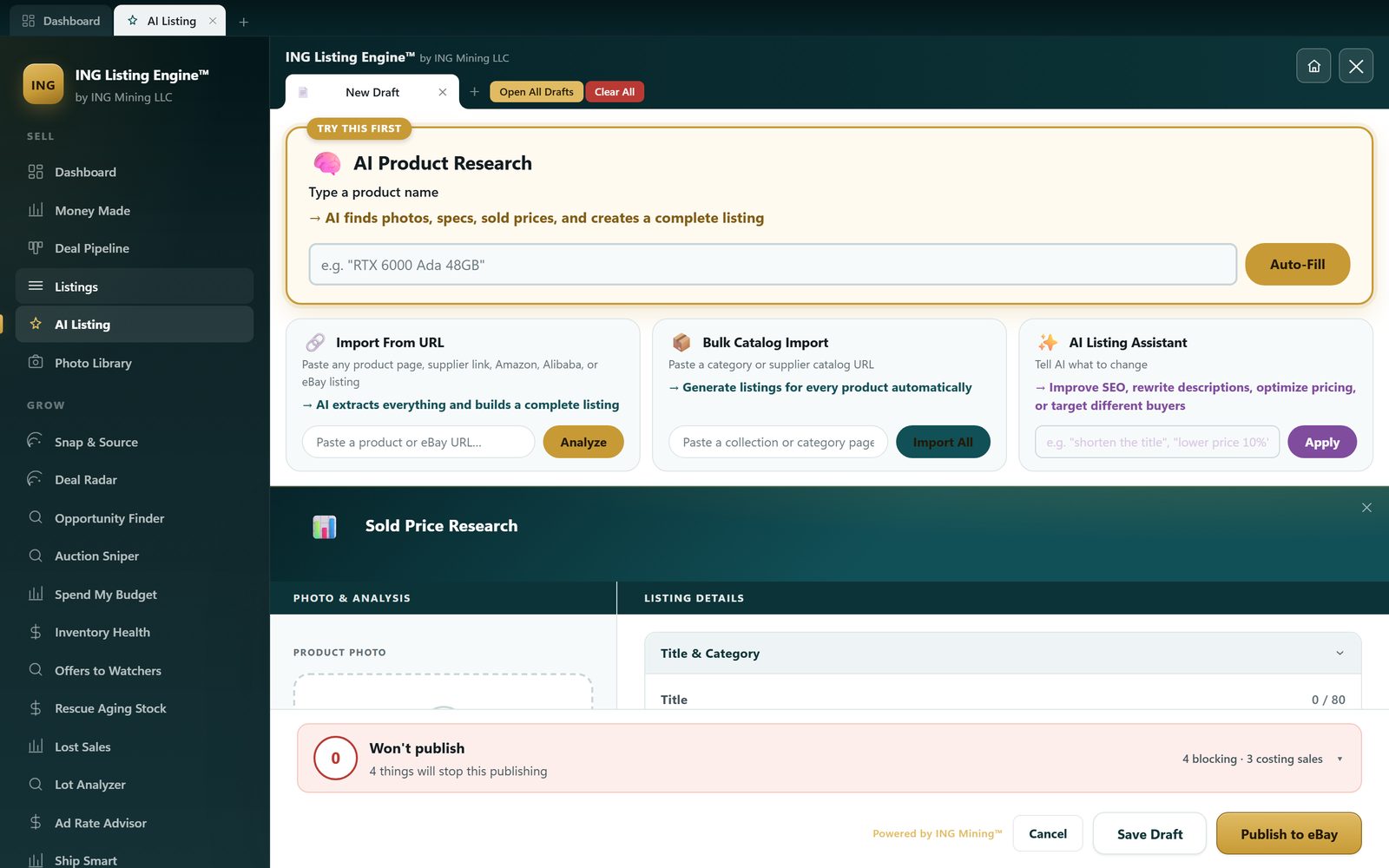
You're not leaving the app to check what similar items actually sold for. It's sitting next to the field where you're about to type a price.
Introducing Opportunity Finder
Filling out listings faster only helps if you're spending that time on the right items. That's what Opportunity Finder — a brand new page in the app — is built for. The six sections planned in July were replaced by four that could actually be built on real sold data:
- Roll the Dice — sweeps whole product categories of sold history at once, with no keyword from you, and keeps only what has both margin and demand
- Supplier File Analyzer — drop in a wholesale price list, or a photo of one, and every line gets costed against sold comps
- Local Deals — Craigslist and Facebook Marketplace by zip code, asking prices compared against real eBay sold prices
- eBay Scanner — eBay itself as a supplier, using delivered cost rather than the headline price
- Ranked by payback speed — how fast the money comes back, not gross margin. A $40 item that turns in a week beats a $400 one that sits for a quarter
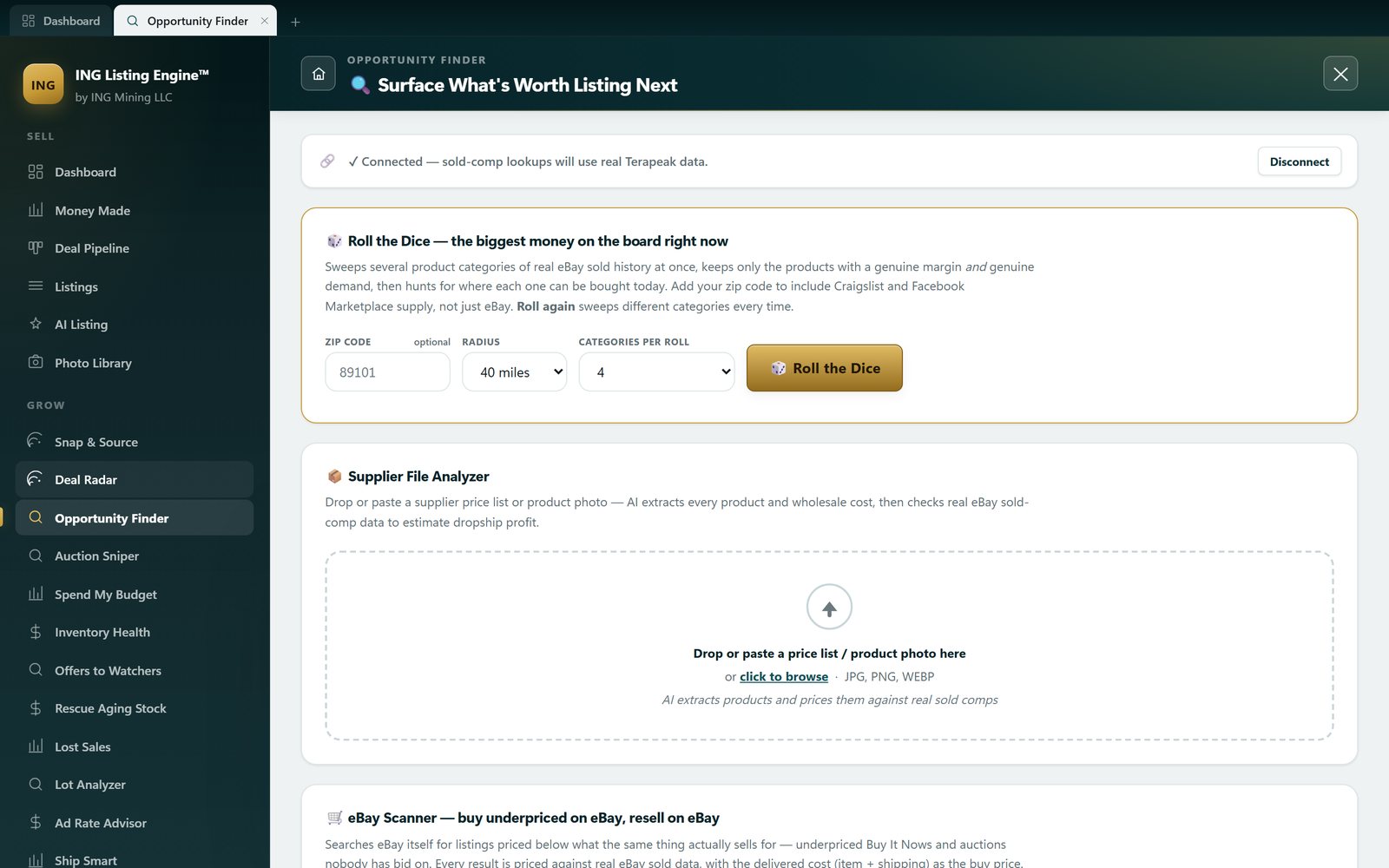
The framework shipped first and each section was built against real seller data rather than shipped as a guess labelled an insight — which is why two of the six planned sections never appeared. Where the sold history is thin, the app shows a low-confidence badge instead of a number it can't stand behind.
Why this, why now
Every feature in ING Listing Engine gets tested against a real, connected eBay store before it ships — not a demo account. That's deliberate: the tool needs to hold up against an actual seller's actual inventory, not a curated example. That store is the one behind the first repricing scan — 87 live listings, median age 199 days — and the wider write-up of how the whole flow works is the guide to AI eBay listing software.
Try it yourself
ING Listing Engine is free for Windows during the public beta — no subscription, no paywall.
⬇ Download the Windows app